AI Expense Planner
See exactly what Pro looks like — before you pay for it
These are real screenshots from the app (demo account, dark theme). The personal tracker is free for everyone; statement import, the advanced dashboard and AI insights are part of Split Wisely Pro AI — ₹299/month or ₹2,999/year.
Your private tracker — free for everyone
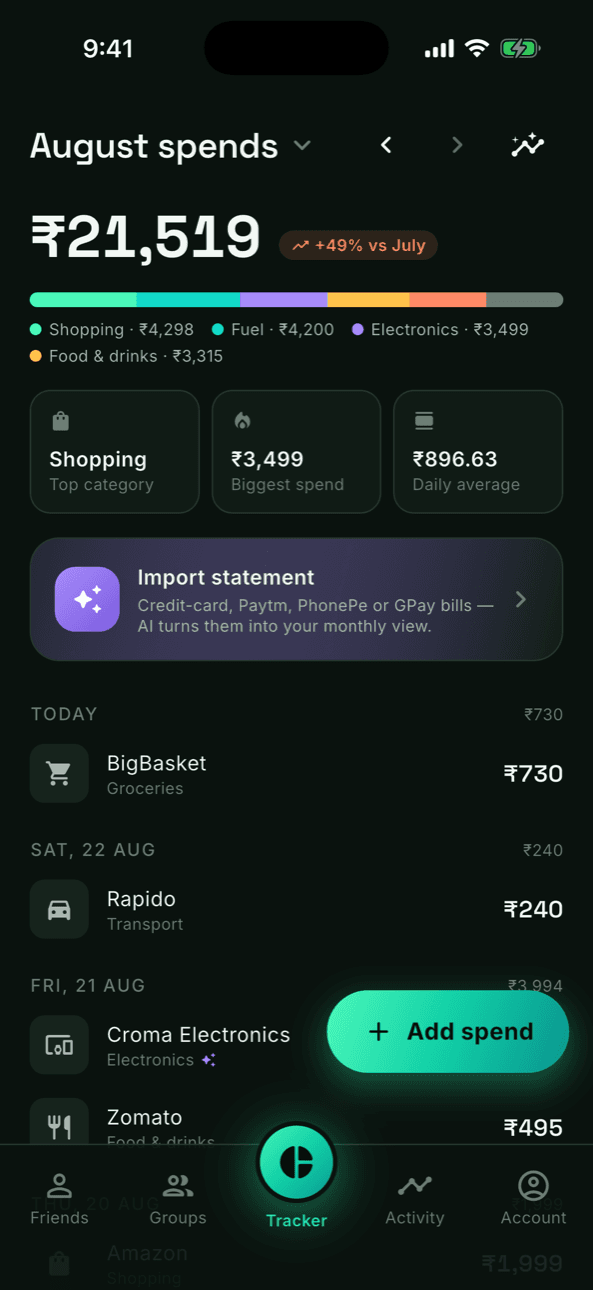
The center tab of the app. Month total, category breakdown and quick stats up top; every spend grouped by day below. Entries added by AI import carry a little ✦ so you always know where a number came from.
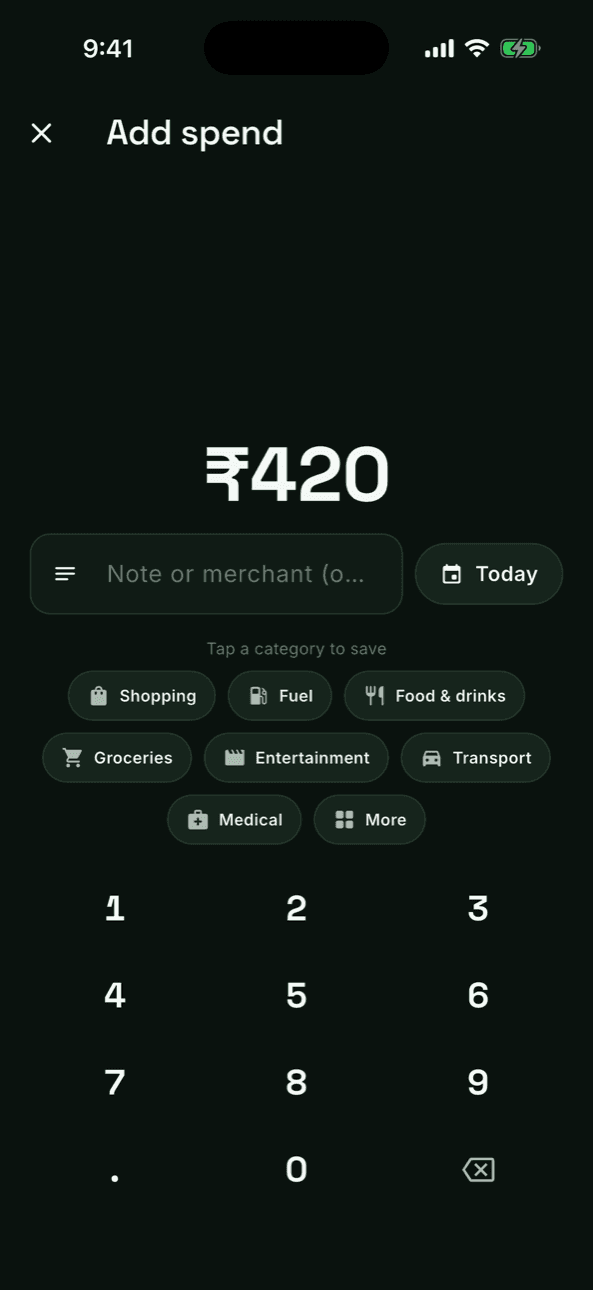
- ✓Add a spend in 2 taps: type the amount, tap a category — saved
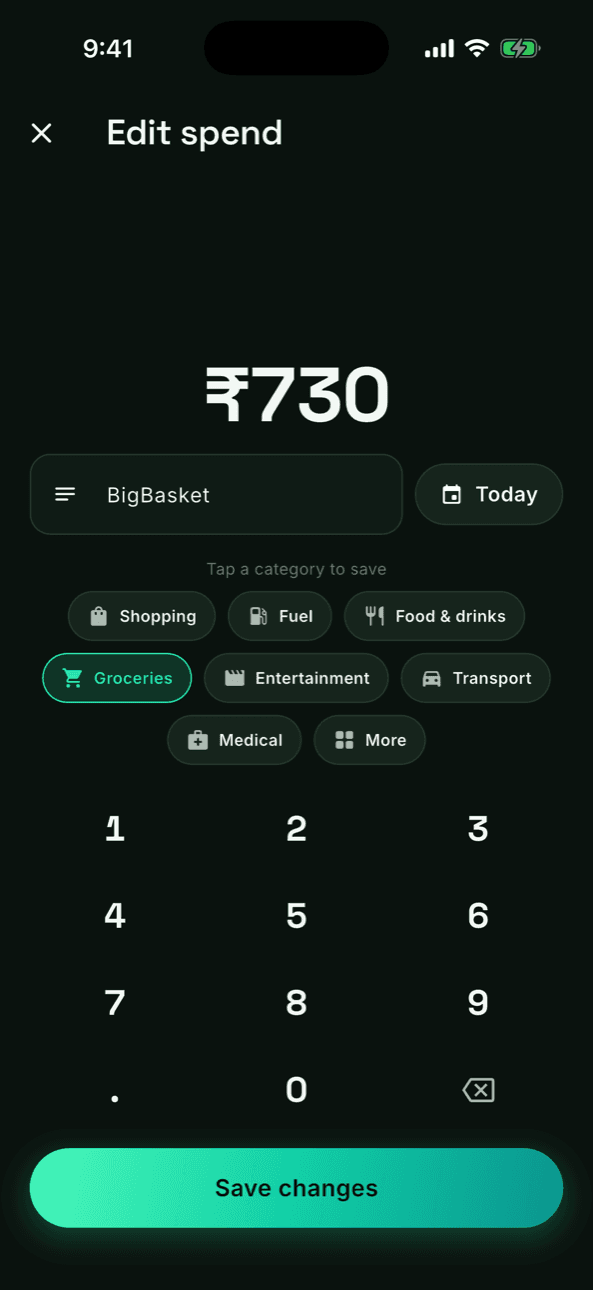
- ✓Tap any entry to edit it, swipe to delete — totals recompute instantly
- ✓Months reset on the 1st (IST) with full history you can browse anytime
Import a statement, keep your quota in viewPRO AI
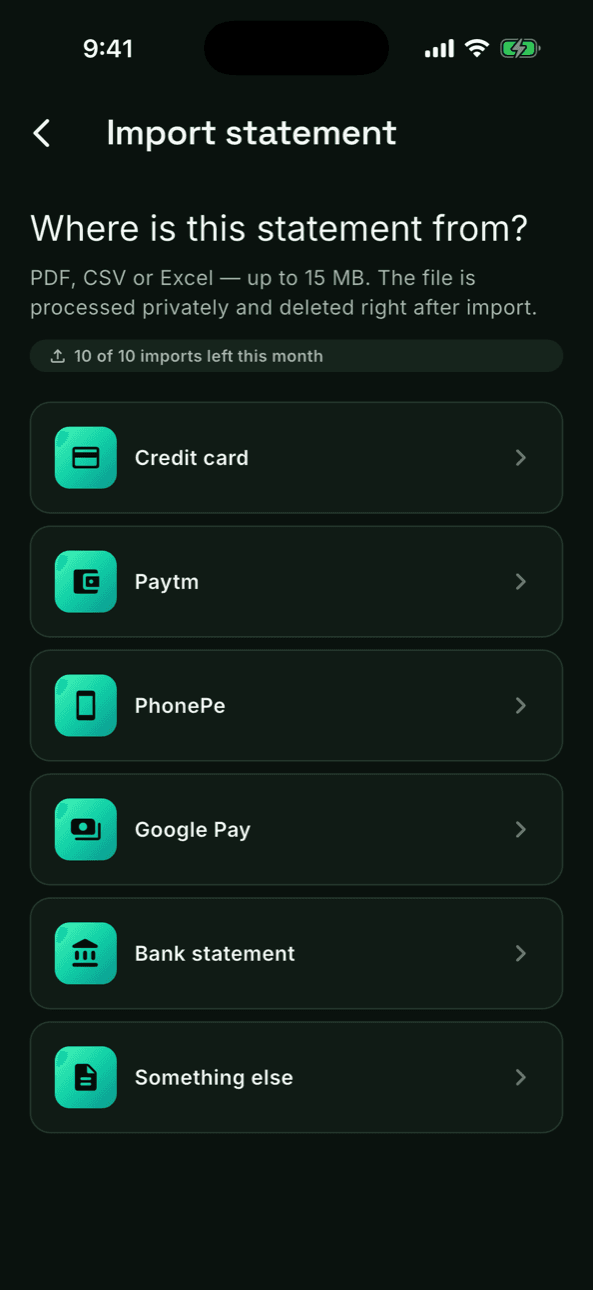
Pick where the statement came from — credit card, Paytm, PhonePe, Google Pay or your bank — then pick the PDF, Excel or CSV. Your monthly allowance (10 imports) is always visible, and a cheap AI gate rejects files that aren't statements before any real processing runs.
- ✓10 imports every month, counter always on screen
- ✓PDF, Excel and CSV, up to 15 MB
- ✓Files are processed privately and deleted right after import
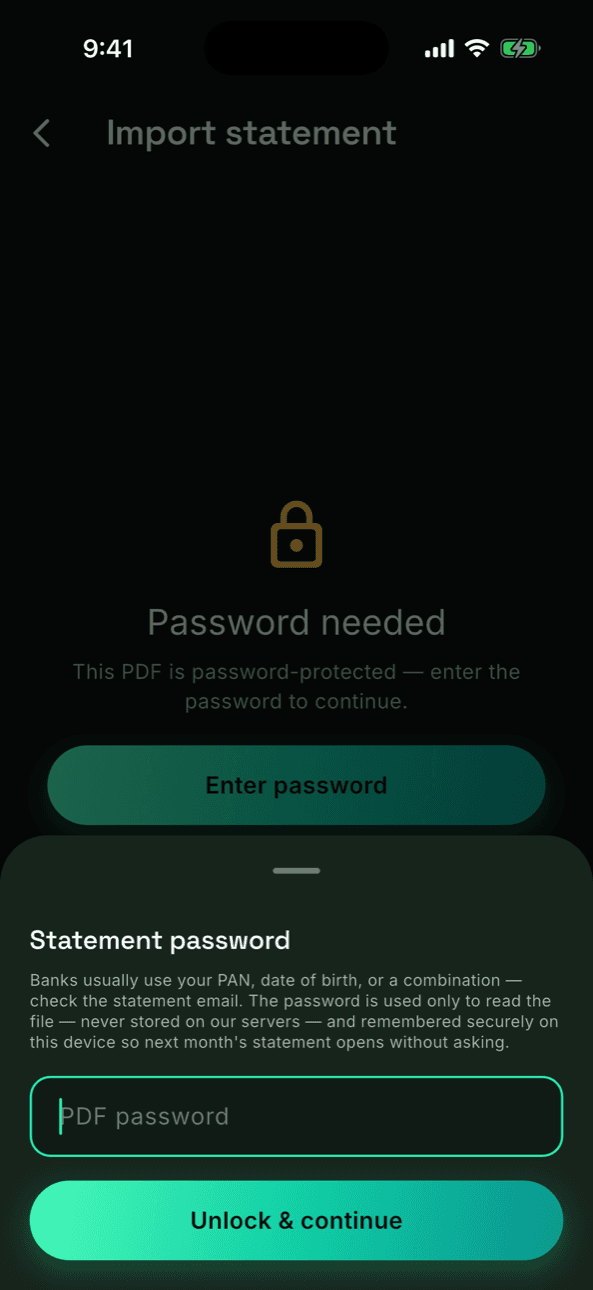
Password-protected bills just workPRO AI
Bank PDFs usually ship locked. Enter the password once — it unlocks the file on our server for that single read, is never stored there, and is remembered securely on your device so next month's statement from the same card opens without asking.
- ✓Password travels only inside that one processing request
- ✓Remembered in your device's secure Keychain — signing out wipes it
- ✓Wrong or changed password? You're simply asked again
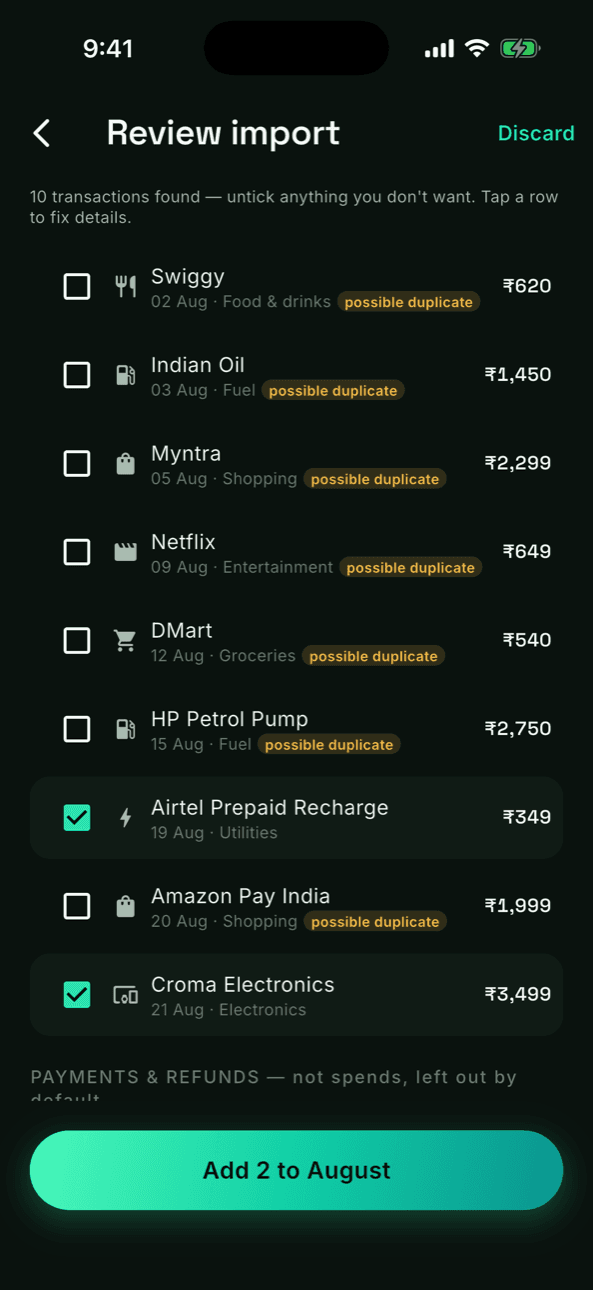
AI reads it. You approve it.PRO AI
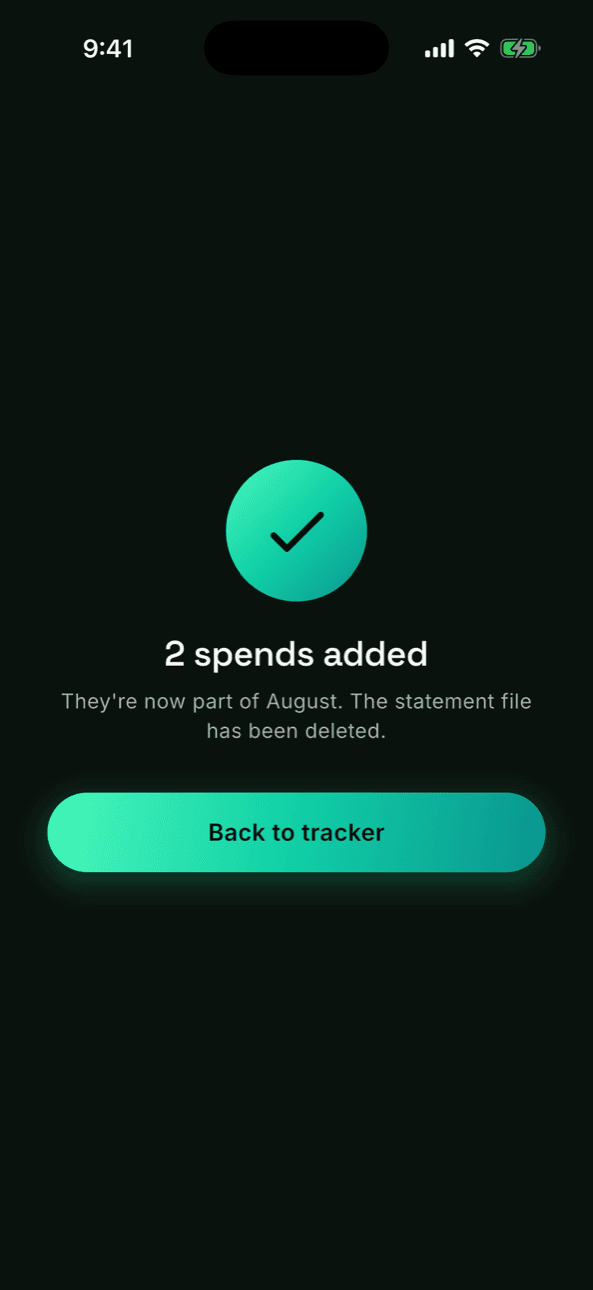
Every transaction is extracted with dates, merchants and exact paise, then checked against what you already track. Anything that looks like the same payment — including a RuPay credit-card spend made through a UPI app that shows up in both statements — is pre-flagged as a possible duplicate and left unticked. Nothing is saved until you confirm.
- ✓Duplicates across statements pre-flagged, never silently merged
- ✓Payments, refunds and cashback separated out — they aren't spends
- ✓Fix any row inline: merchant, amount, category
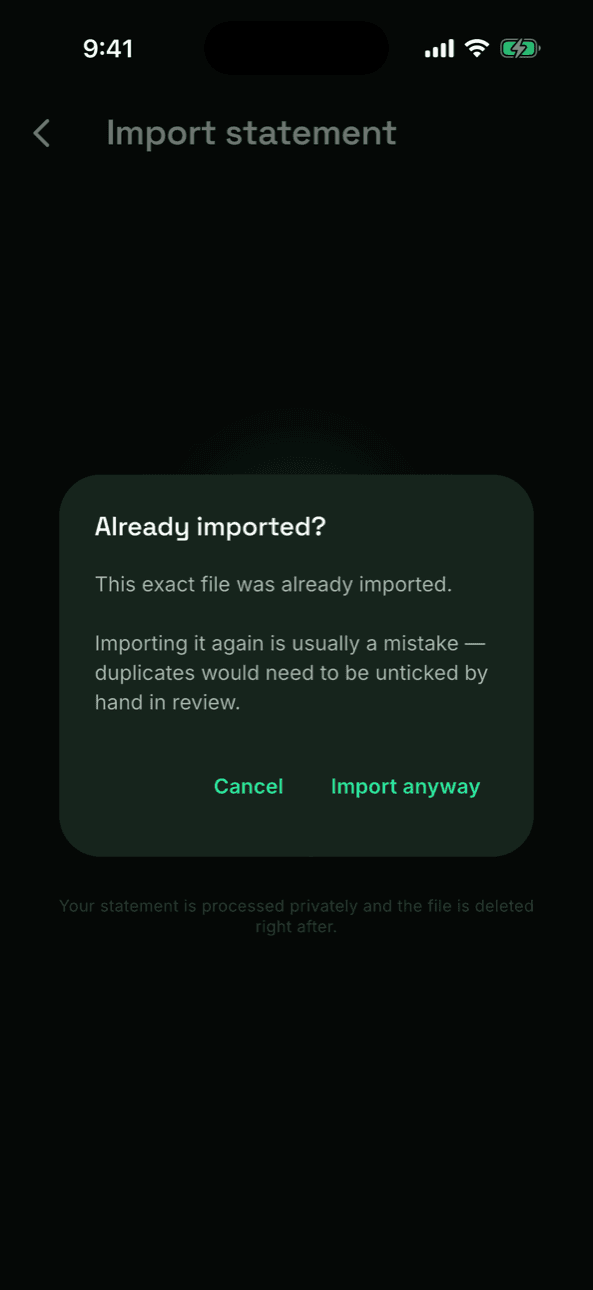
- ✓Upload the same file twice and the app catches it before processing
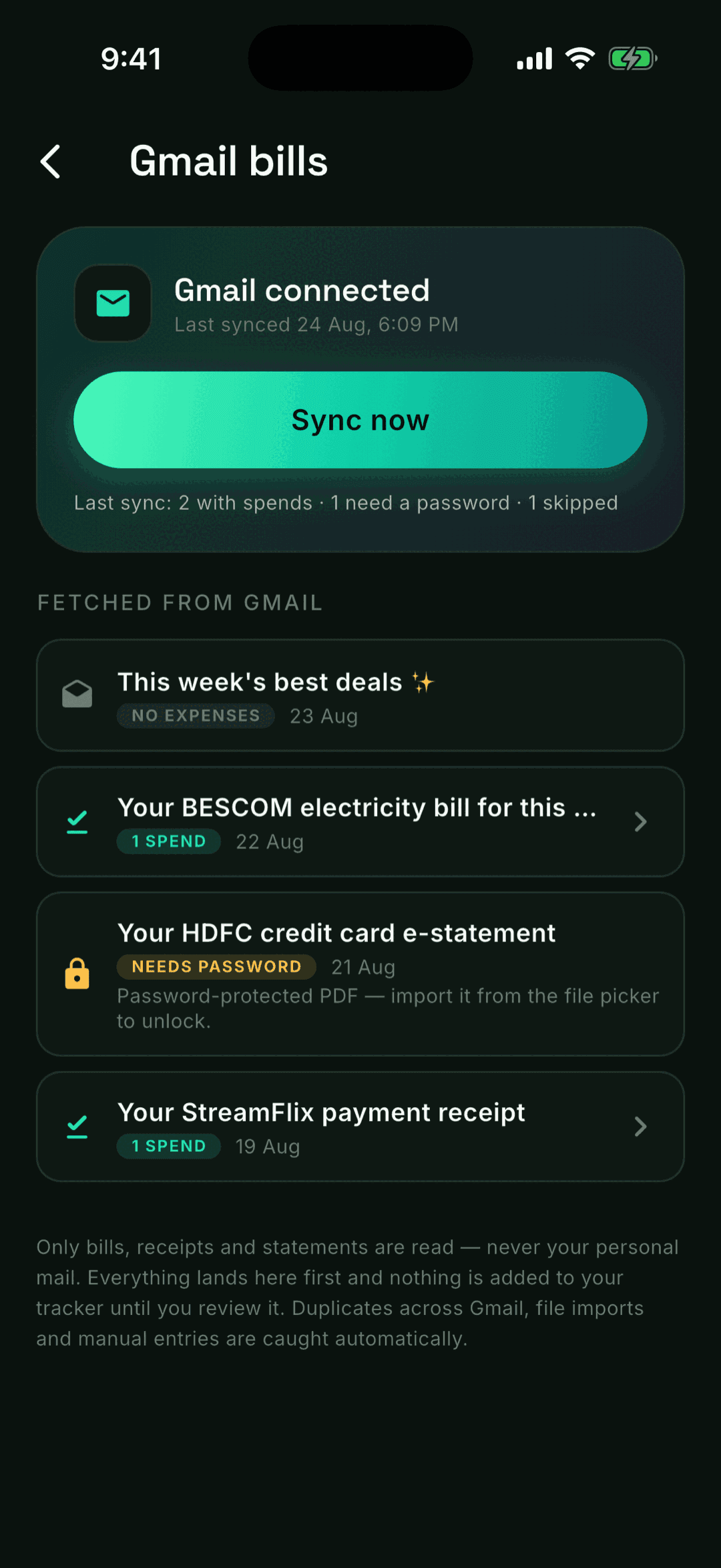
Connect Gmail — bills import themselvesPRO AI
Grant read-only access once and Split Wisely finds the bills, receipts and e-statements in your inbox — electricity, OTT, card statements — and stages them for review. Every fetched email is listed with what happened to it, so you always know what came from Gmail and never upload the same bill twice.
- ✓Read-only Gmail scope, used per sync — tokens are never stored
- ✓Only bills and receipts are read, never personal mail
- ✓Duplicates across Gmail, file imports and manual entries are caught automatically
- ✓Password-protected attachments hand off to the normal unlock flow
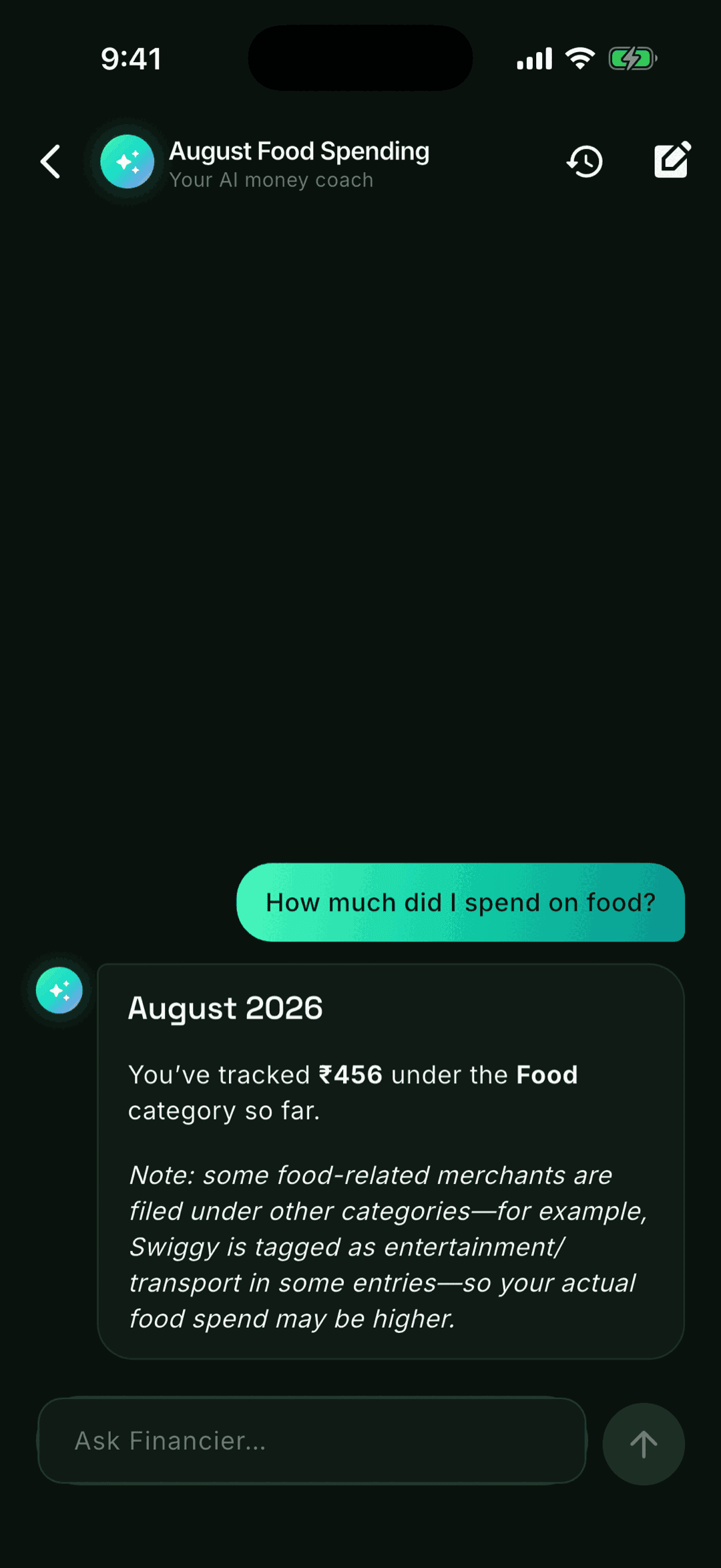
Financier — chat with an AI that knows your moneyPRO AI
A ChatGPT-style coach grounded in your actual data: tracked spends, imports, splits and balances. Ask where the money went or where to save — it answers with your real numbers, catches things like miscategorised entries, and keeps full conversation history.
- ✓Rich formatted answers — tables, lists, real ₹ figures
- ✓Knows your finance profile: income, rent, EMIs, goals
- ✓Friends stay anonymous to the AI — privacy by design
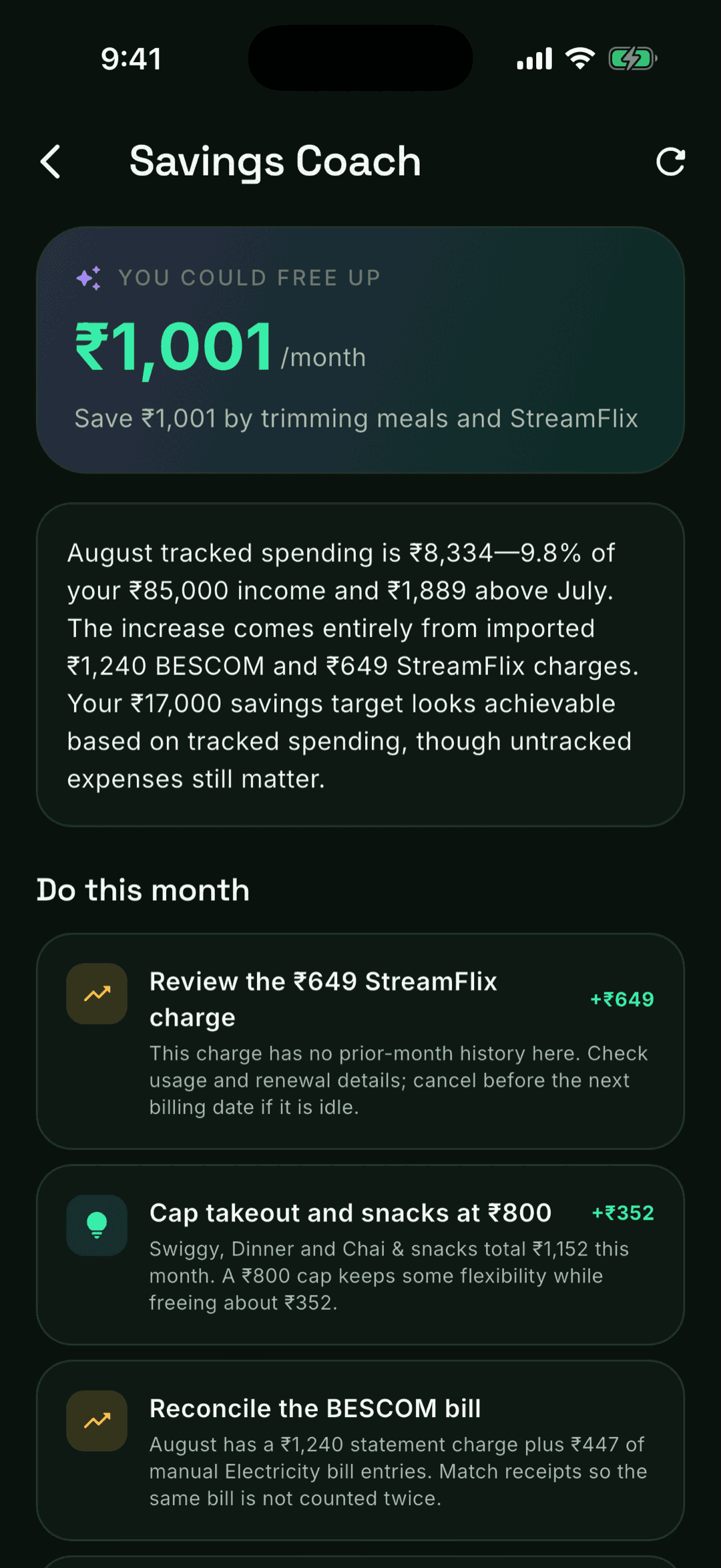
The Savings Coach & EMI managerPRO AI
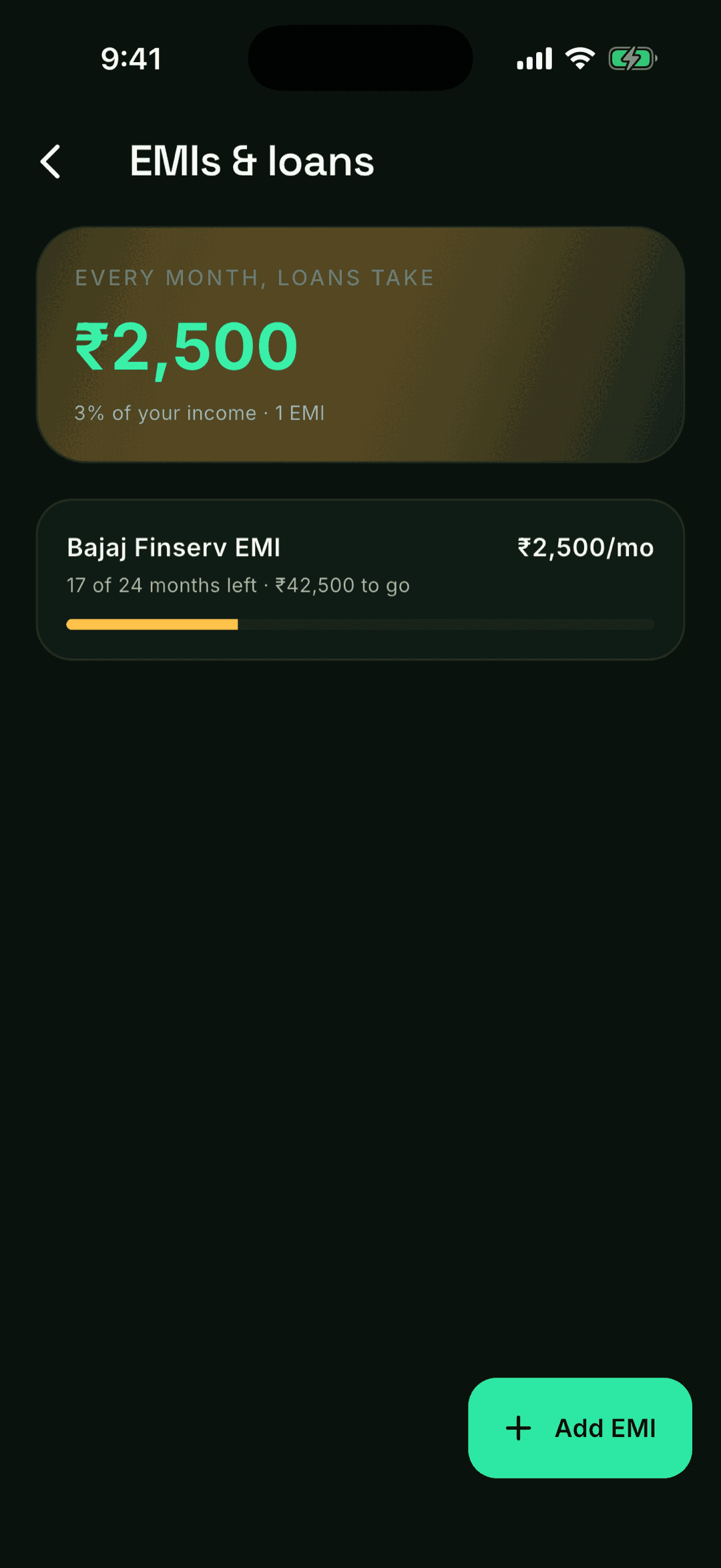
Once a month the AI reads your spending and hands you a plan: how much you could free up, unused or duplicate subscriptions, concrete this-month actions ranked by ₹ impact — and it cross-checks sources so a bill imported from Gmail and typed by hand is never counted twice. A dedicated EMI page tracks every loan with tenure, progress and payoff date.
- ✓Realistic monthly saving estimate with ranked actions
- ✓EMIs auto-detected from your spends — instalment markers like 07/24 become tenure and an end date
- ✓Total EMI load shown against your income
The dashboard that explains your moneyPRO AI
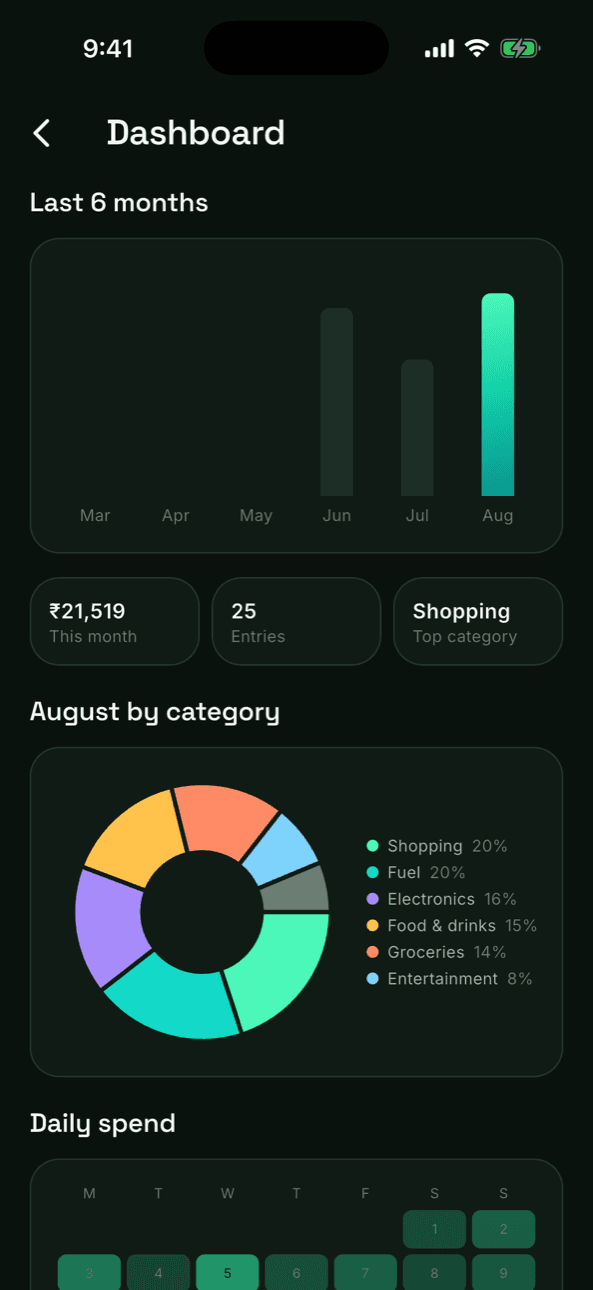
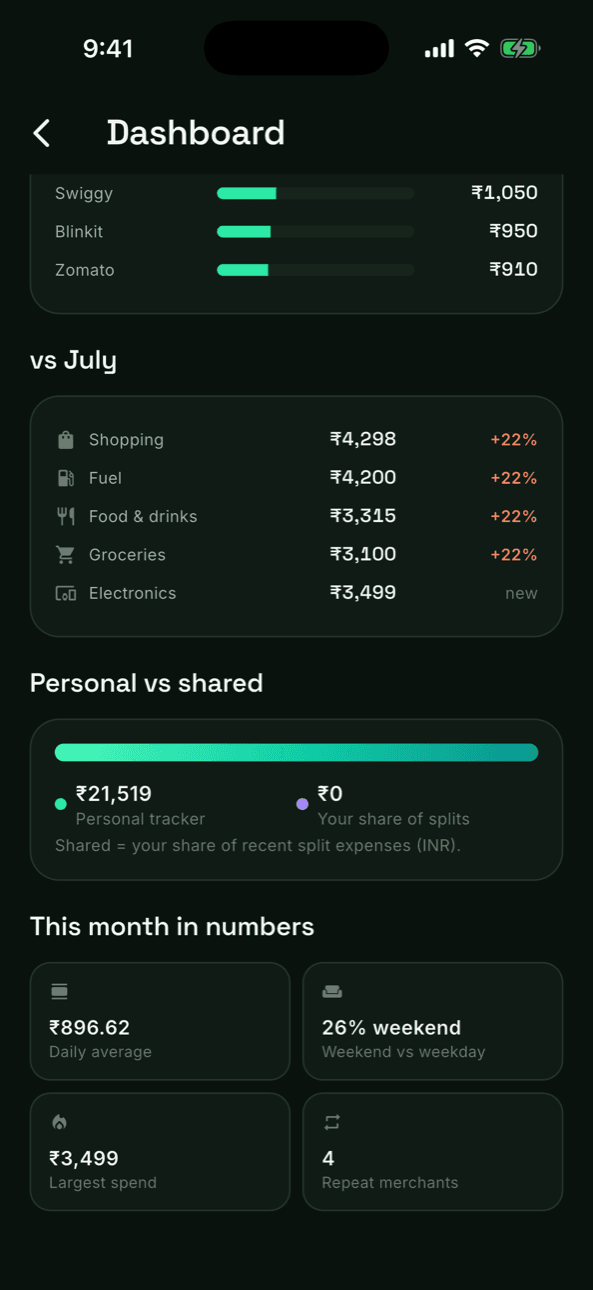
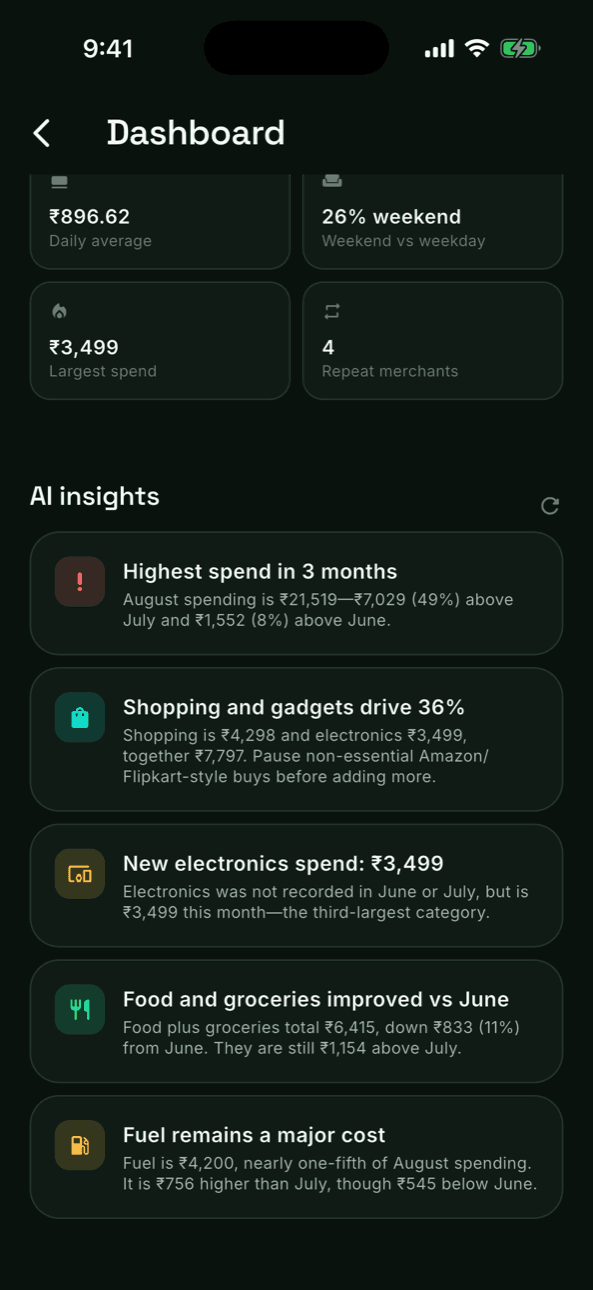
Six-month trends, a category donut with drill-down, a daily-spend heatmap, month-vs-month comparisons and a personal-vs-shared split — topped with AI insights written for India: overspend alerts, category trends and concrete saving tips based on your actual numbers.
- ✓Free: monthly trend + core metrics
- ✓Pro: every chart, every metric, plus AI insight cards
- ✓Insights refresh on demand and cite real figures from your months
Your statements, understood — never misused
Raw files are deleted right after processing. PDF passwords never touch our servers' storage. Extraction happens in Mumbai-region infrastructure, and nothing you upload is used to train AI models. The details are in our privacy policy.